01Own product
Forma: training log, billing and AI training plans for personal trainers
- Scope
- Own product, from model to deployment
- Client
- AM CODE product
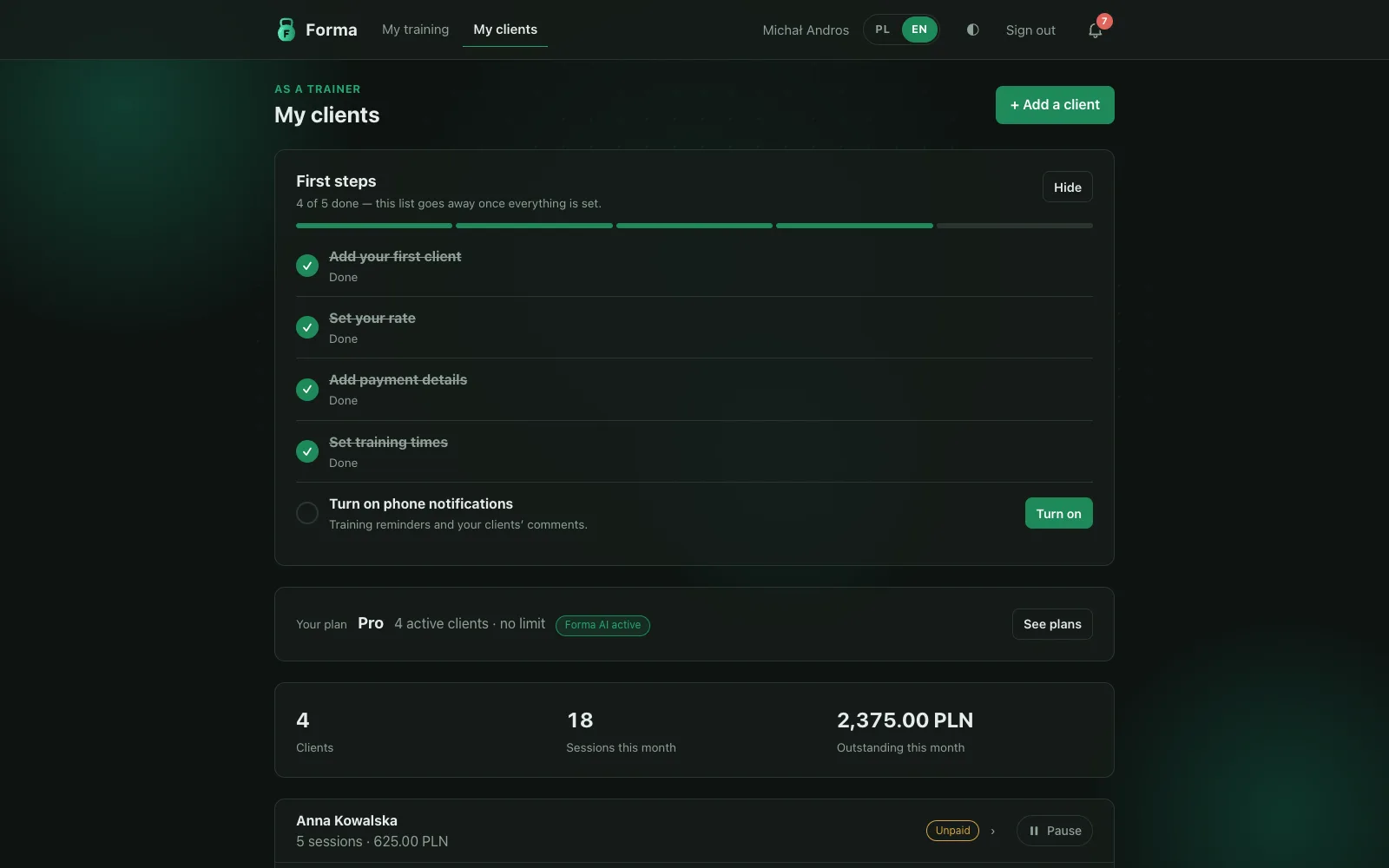
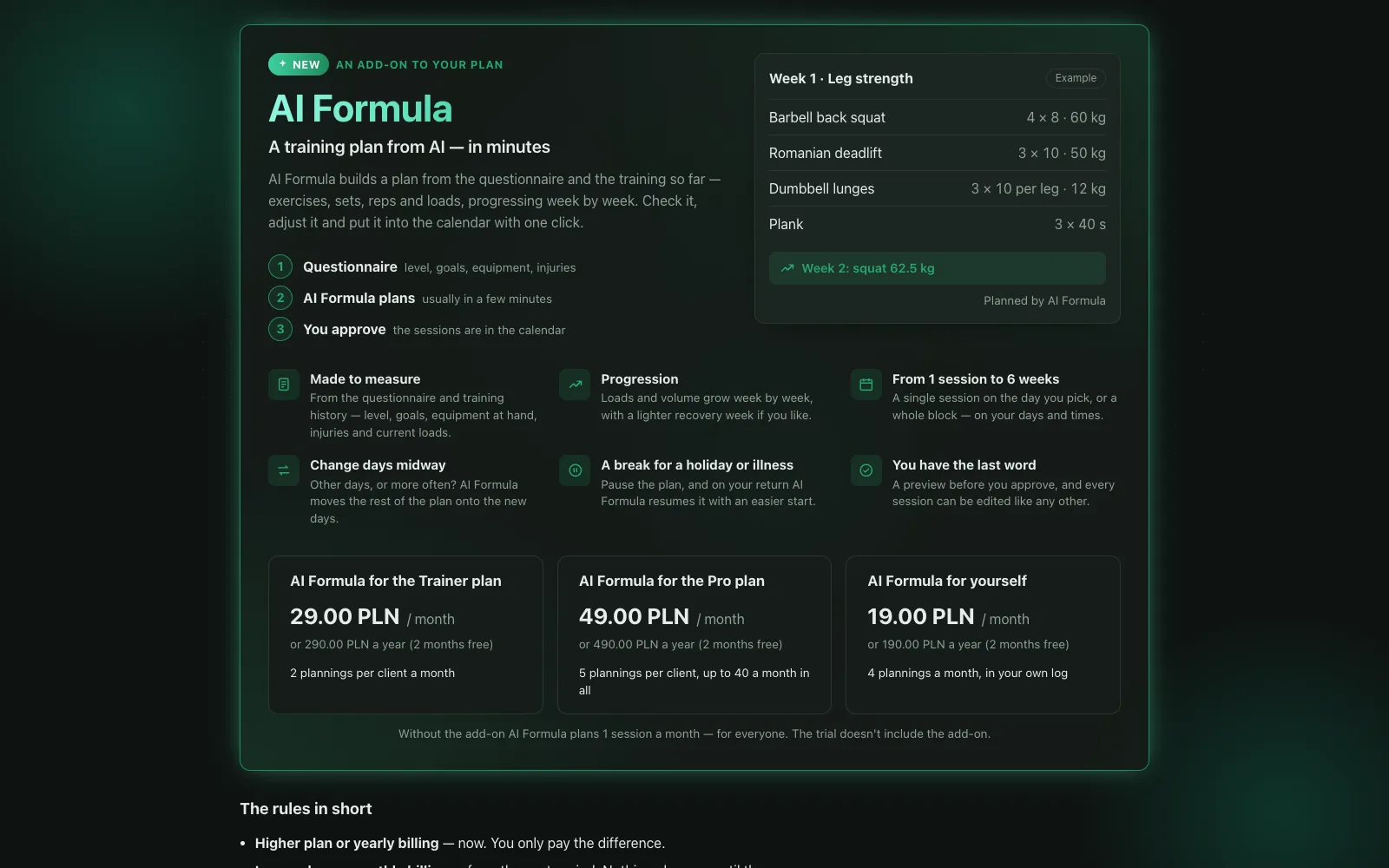
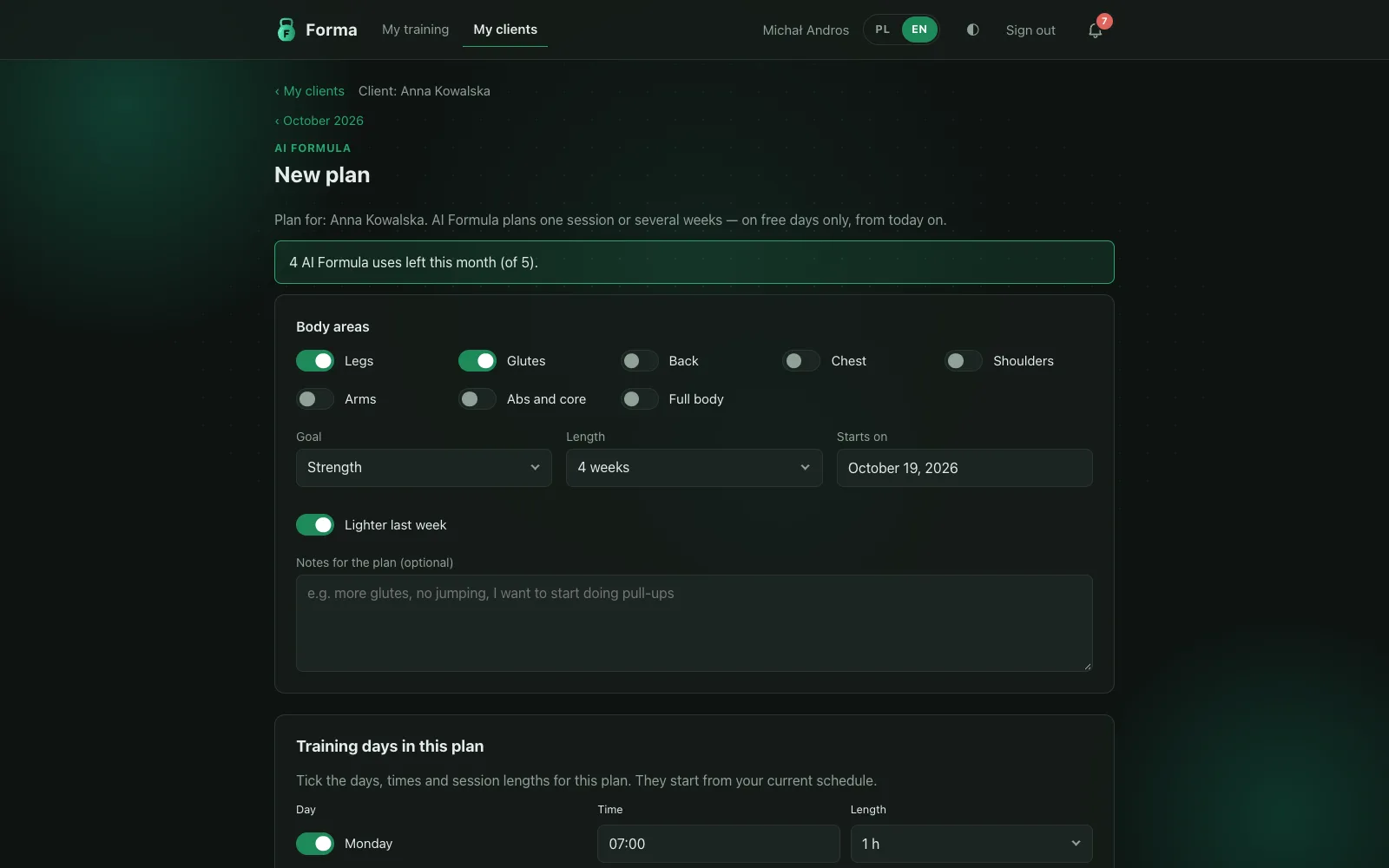
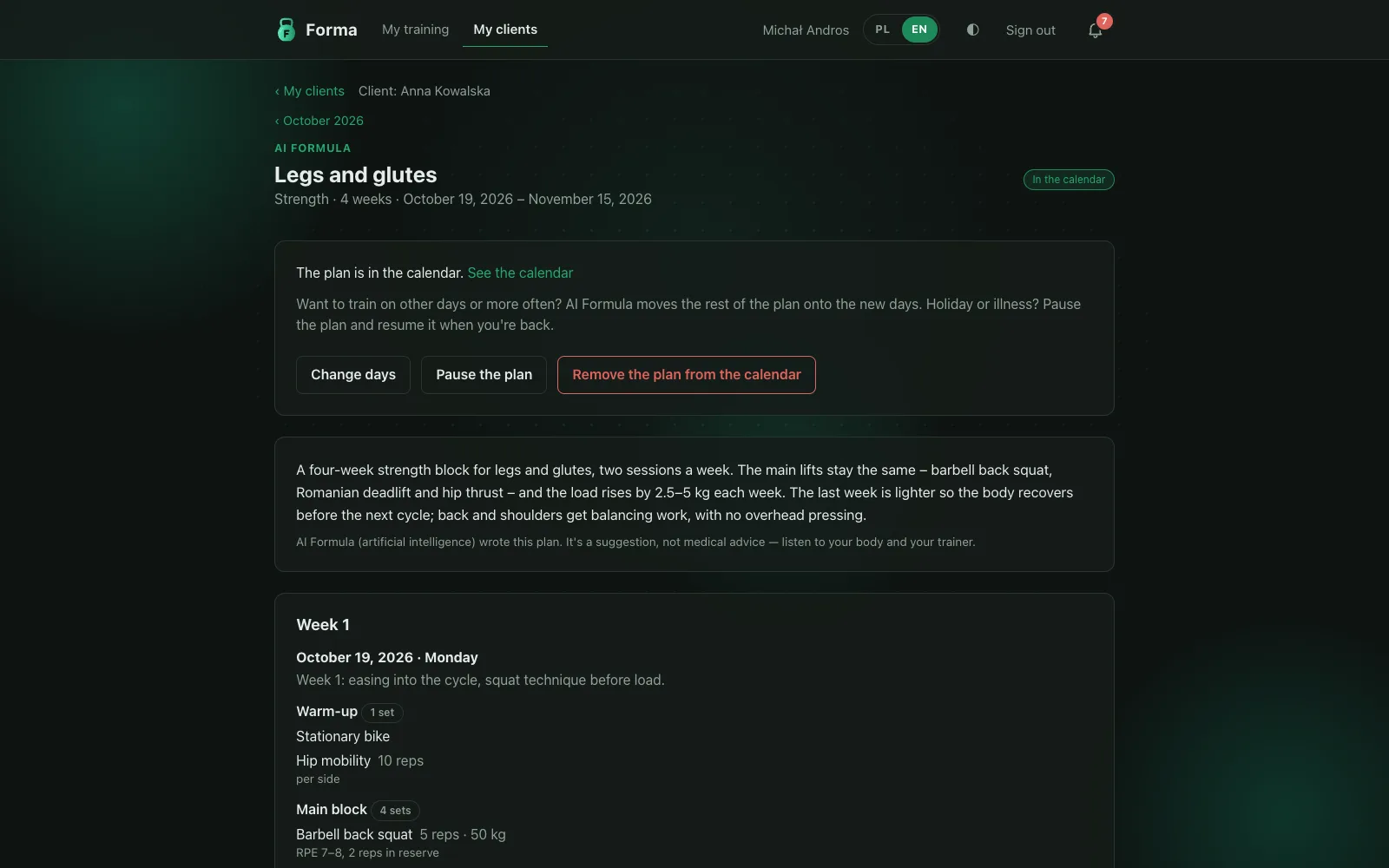
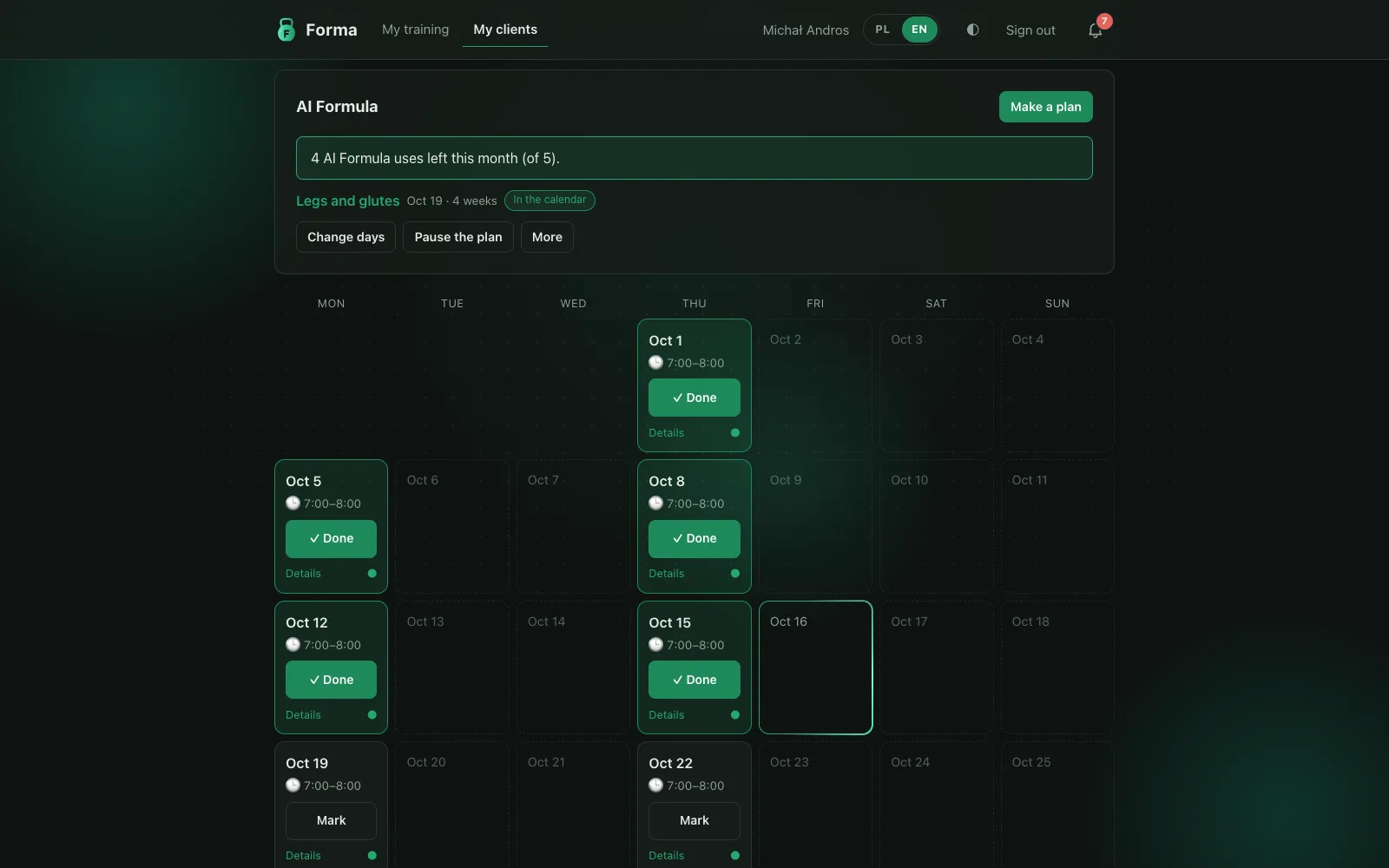
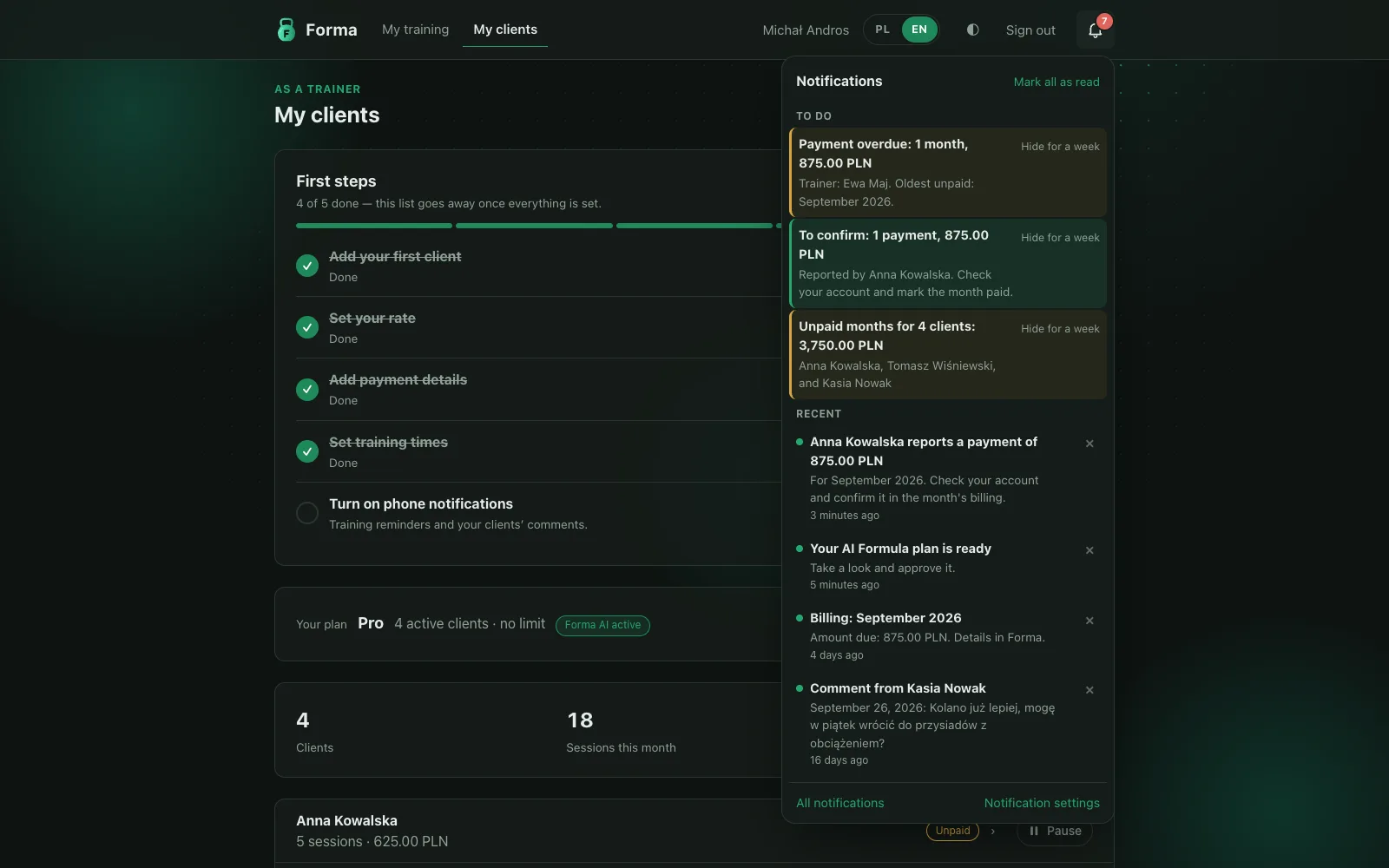
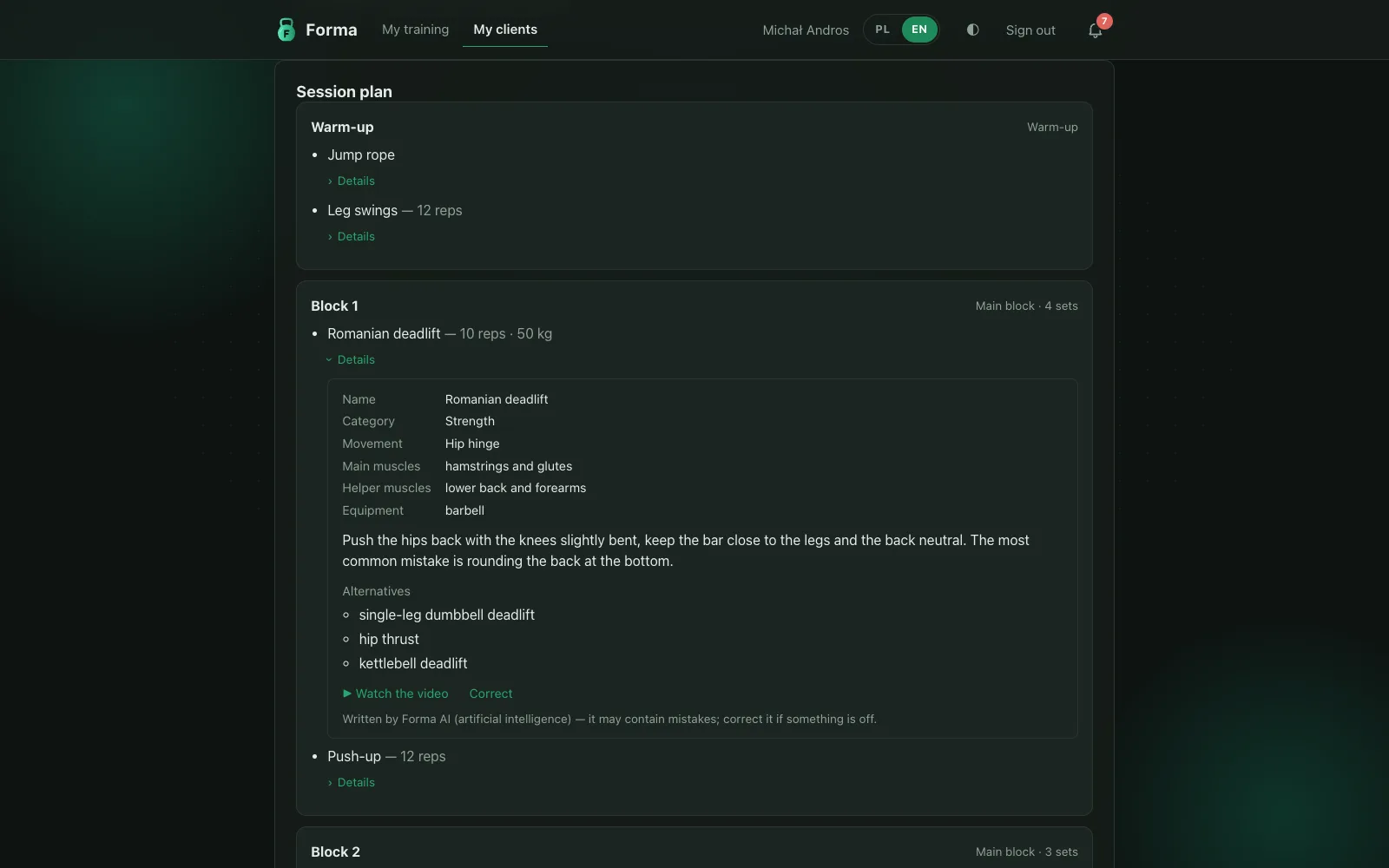
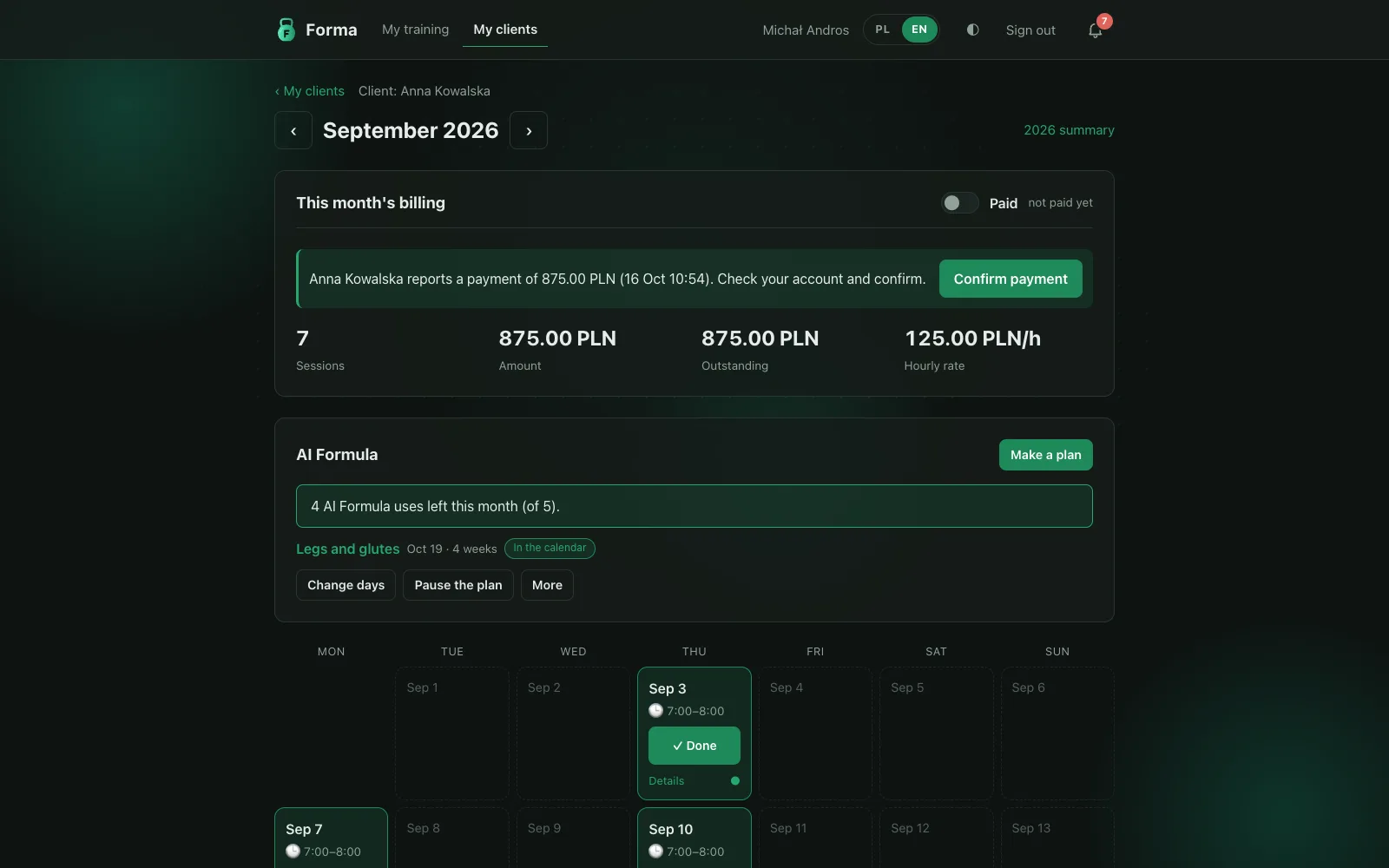
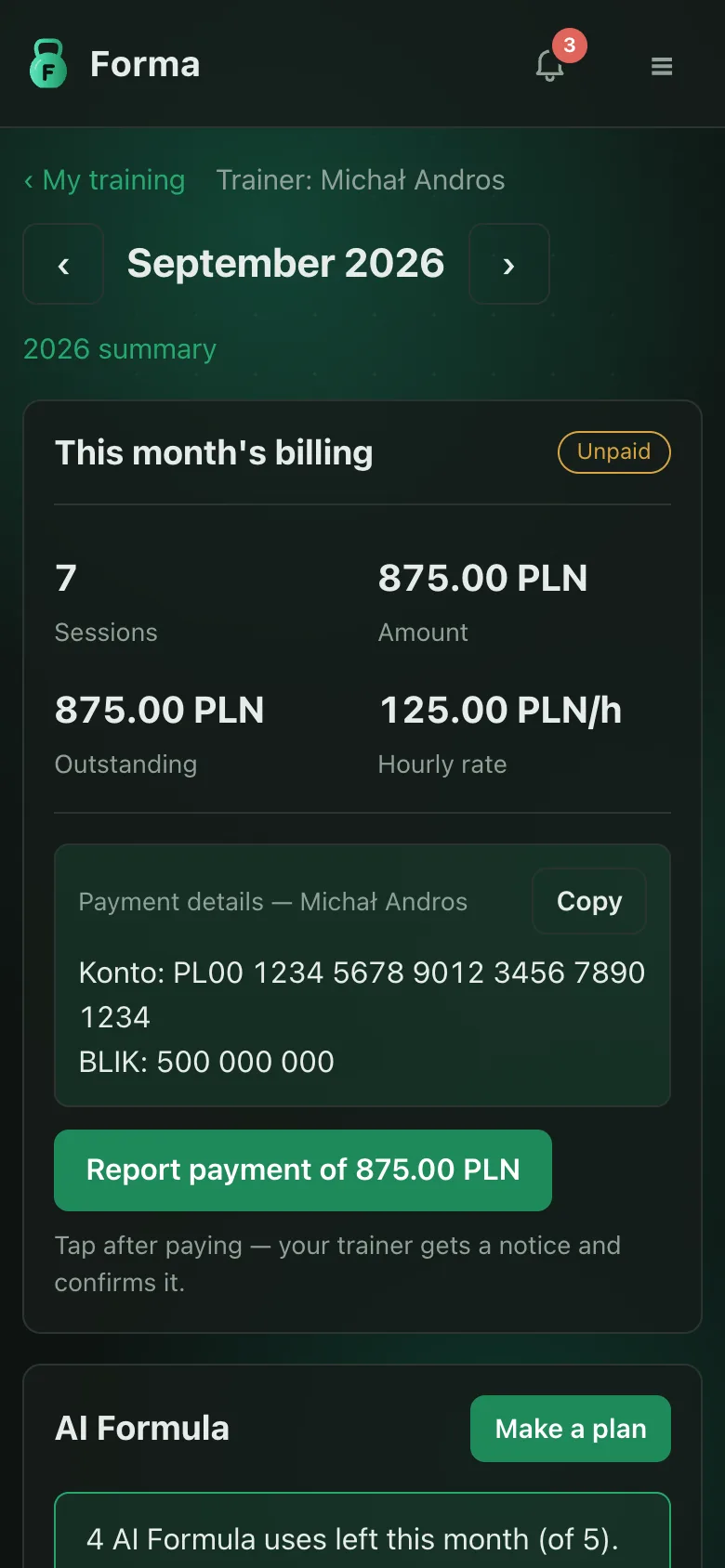
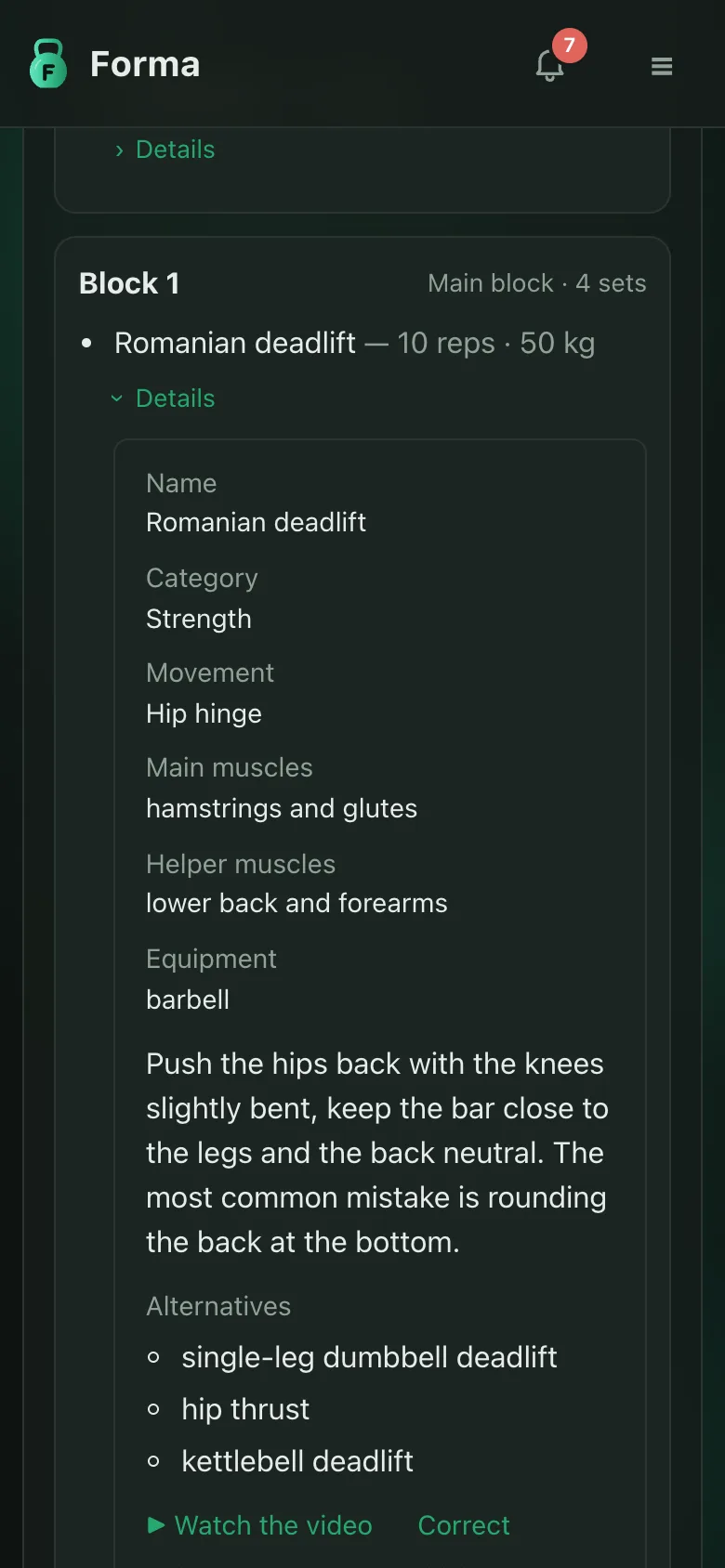
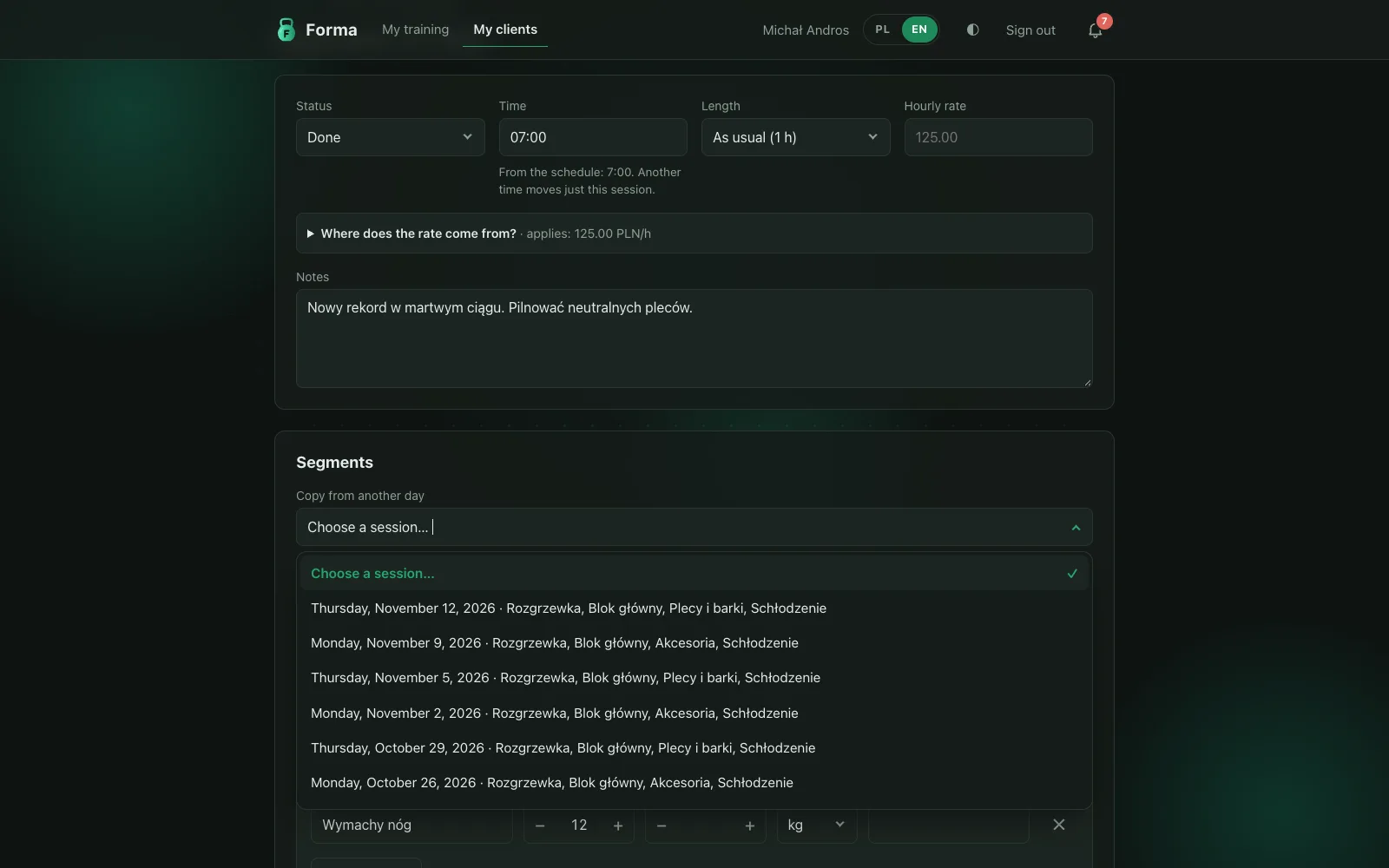
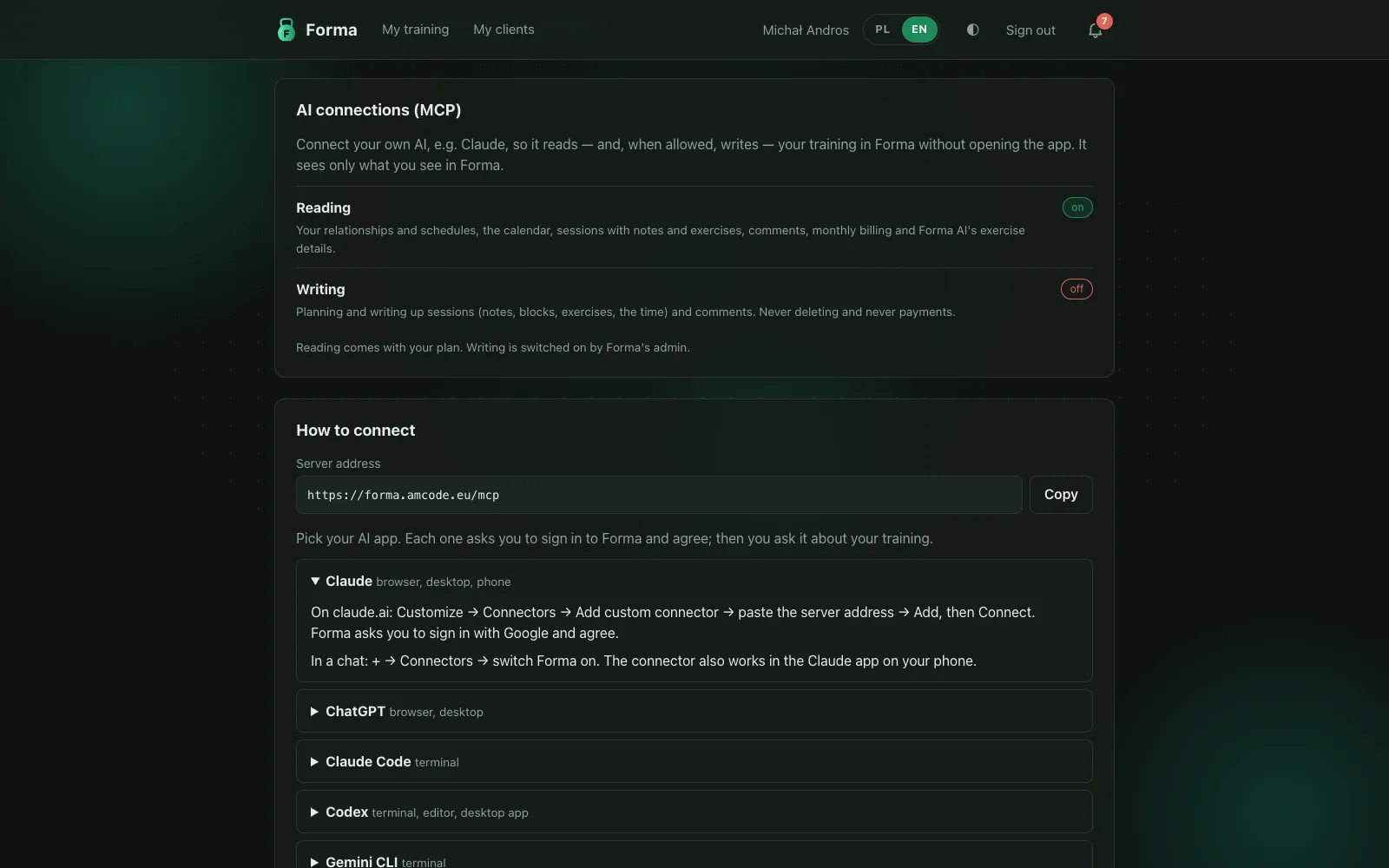
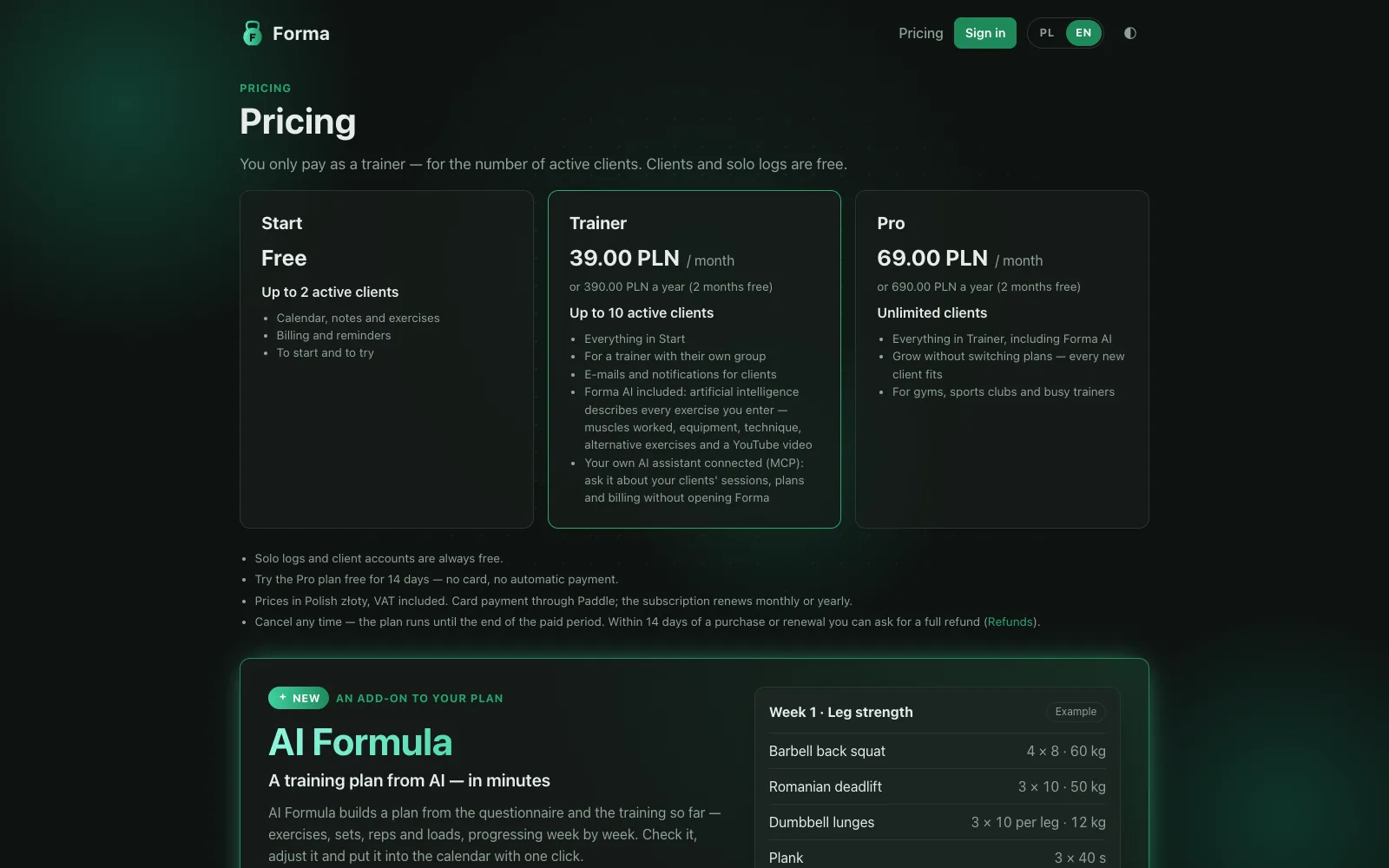
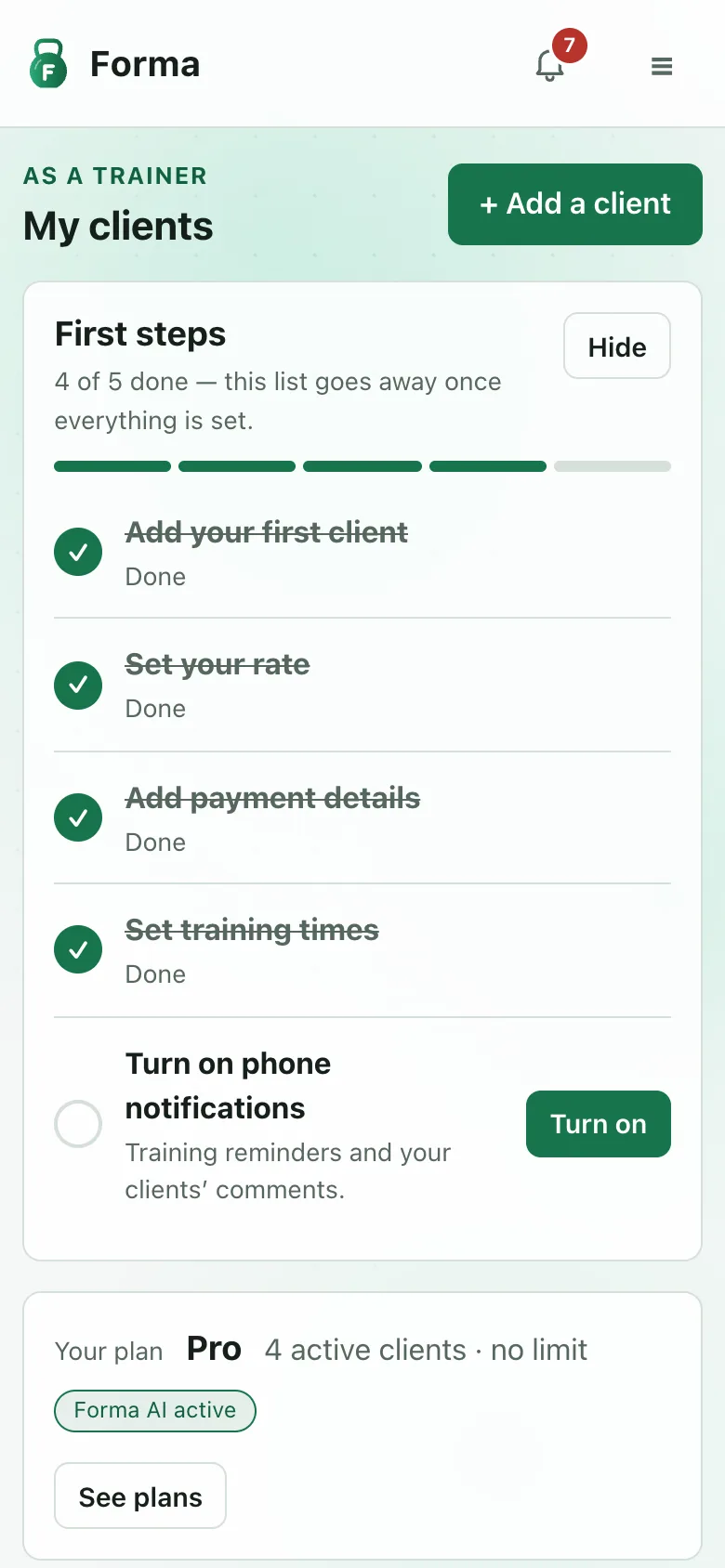
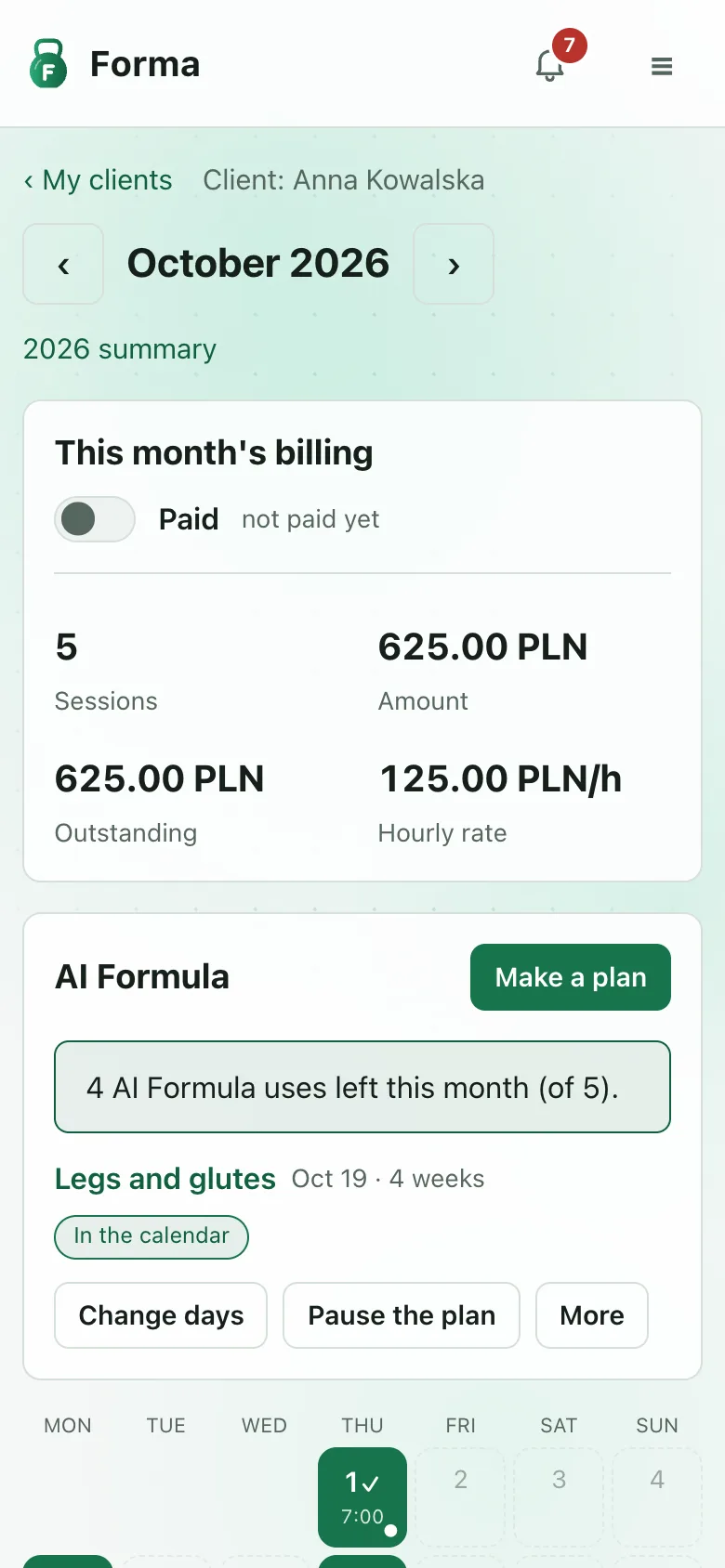
Screenshots with demo data.
- Challenge
- Personal training often runs on a shared spreadsheet: sessions, notes, rates and monthly settlements typed in by hand. It is easy to break, hard to read on a phone, and gives neither side reminders or a clear history. Forma started as the replacement for exactly such a sheet and grew into a product for trainers and their clients.
- Product
- Two views in one account: “my training” for the client and “my clients” for the trainer, so one person can train with someone and coach others at the same time. Trainers add and invite their own clients, and a short “first steps” list guides a new trainer through the setup. Sessions hold notes split into segments and exercises, attachments and a comment thread for both sides, and a plan can be copied from another day. Weekly schedules, hourly rates and monthly billing are calculated automatically, and every rate field shows where the rate comes from. A schedule change applies from today and never rewrites past days, a single month can have its own schedule, and when either side moves a session, the other is told. Next to an unpaid month the client sees the trainer’s payment details and reports a transfer with one click; the trainer confirms it. A bell gathers notifications and to‑do items, and one table sets which of them arrive in the app, as push or by e‑mail. Everyone gets a private calendar feed, can give Forma their own accent colour and can export their full history as a ZIP at any time. People who train alone get a free solo log.
- Forma AI
- On paid plans Forma AI describes every exercise from the name the trainer types: category, muscles worked, equipment, technique with the most common mistake, and alternatives. A matching instructional video is found once per exercise and plays inside Forma. Trainer and client can correct any description, and a correction is never overwritten. Forma AI also translates sessions and descriptions, so everyone reads them in Polish or English, and adds a short recap of each session to the evening e‑mail. Users can also connect their own AI assistant over MCP: it reads their sessions, schedules and billing and, where enabled, writes up their next sessions, with the same permissions they have in the app.
- AI Formula
- An AI trainer that plans the training itself. From the client’s questionnaire (level, goals, equipment, current loads and limitations, the last kept only with consent) and their recent sessions, it writes a single session or a plan of up to six weeks on the person’s training days: exercises, sets, reps and loads that progress week by week, with an optional lighter last week. The trainer reviews it and puts it into the shared calendar with one click; a client training on their own gets it straight into their log. Training days can be changed mid‑plan and the rest is planned again, a plan can be paused for a holiday or an illness and resumed with an easier start, and every session stays editable like any other.
- Business model
- Only trainers pay, by the number of active clients: a free Start plan for up to two clients, Trainer for up to ten and Pro without a limit, with a 14‑day Pro trial and a year for the price of ten months; Forma AI and AI connections come with the paid plans, and AI Formula is a separate add‑on subscription matched to the plan, from 19 zł a month, with monthly limits on plannings; without it everyone can have one session a month planned. Payments are live through Paddle, which acts as merchant of record and handles checkout, invoices, VAT and refunds, and a public landing page with the price list, terms and refund policy explains it all before sign‑up. Plan changes follow clear rules: upgrades and annual billing apply at once and are prorated, downgrades and cancellations take effect at the end of the paid period.
- Engineering
- Ruby on Rails 8.1 on Ruby 4 with YJIT, Hotwire and PostgreSQL, background jobs on Solid Queue, so no Redis is needed on shared hosting. Google sign‑in with optional two‑step verification (authenticator app, passkeys, backup codes), policy‑based authorization on every action, signed and idempotent payment webhooks accepted only from Paddle’s addresses, and secrets kept only in encrypted credentials. Forma is its own MCP server with OAuth, and its tools reuse the authorization policies of the pages. Forma AI and AI Formula work in background jobs: what people type goes to the model strictly as data and without names or e‑mail addresses, answers are held to a JSON schema, and every use counts against daily or monthly limits, with costs tracked per person and a monthly budget. Forma uses its own form controls instead of the browser’s, has a built‑in error tracker with e‑mail alerts, an uptime check of the database and job queue, and nightly backups of the database and uploaded files. Behaviour is covered by request specs and browser‑driven system tests, each change checked by reverting it and watching the tests fail; a release runs the full suite locally first, then GitHub Actions deploys exactly that commit with Capistrano, and Dependabot proposes updates every month. The original spreadsheet history was imported into the new model.
- Outcome
- One place for training history and settlements that trainer and client both use from their phones, in Polish or English, instead of a spreadsheet maintained by hand.